
Quick Facts About Digital Keys
In 2017, Tesla helped popularize phone-as-key technology with the Tesla Model 3. Since then, other car companies have jumped on board, allowing drivers to use their smartphones to lock, unlock, and start their cars. Not having to carry several key fobs for multiple vehicles in the household is a significant convenience for some drivers. Today, dozens of car models offer digital keys as a standard or optional feature.
- What Is a Digital Key?
- How Does a Digital Key Work?
- Benefits of a Digital Key
- Are Digital Keys Secure?
- Car Brands That Offer Digital Keys
- Bottom Line on Digital Car Keys
What Is a Digital Key?
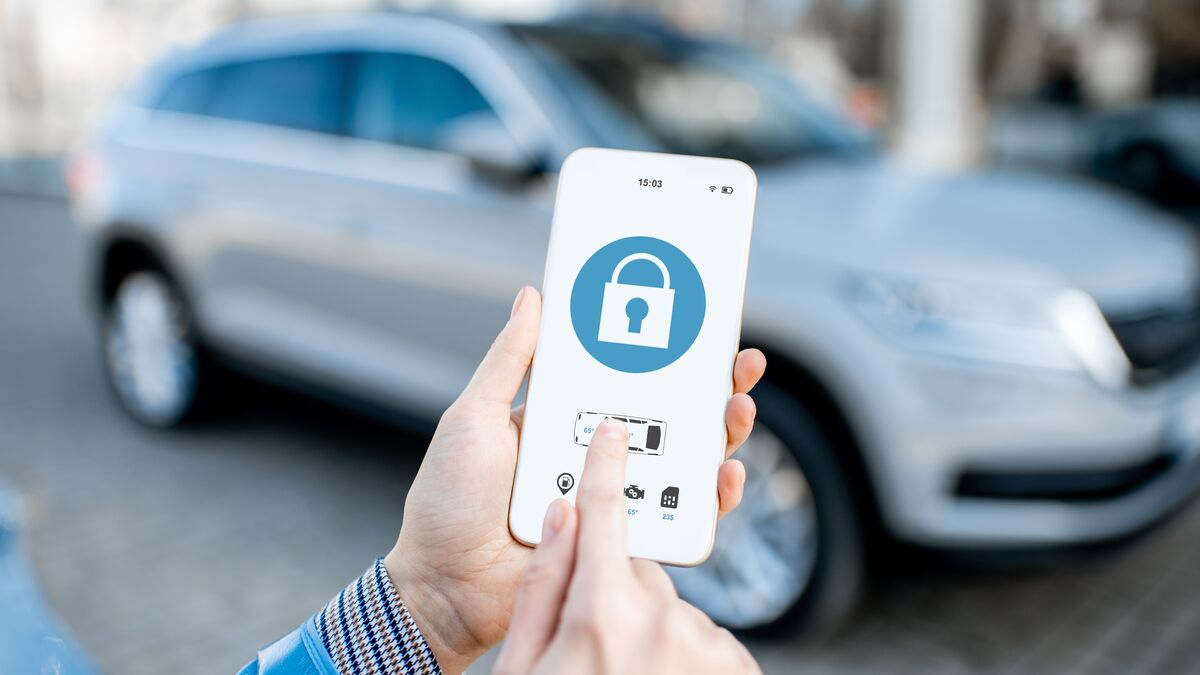
A digital car key lets drivers access their vehicles, start their cars, and create and share a digital key with others using their smartphones. With the digital key stored in a mobile wallet or automaker app, the phone acts as a functional key, allowing you to unlock, start, and drive the vehicle without the key fob. Setup usually starts in the automaker’s app, the vehicle display, or a wallet setup link, and requirements vary by brand. After the initial setup, access may work by tapping the phone to a reader, holding it near the door handle, or using passive entry, depending on the system. Users manage this technology through Apple Wallet, Google Wallet, Samsung Wallet, or the automaker’s app, depending on the car’s make and model.
While digital key technology is gaining traction along with other new features, it is still not offered as a standard feature on every vehicle. If it is available on a model or a specific trim level, you may have to pay a monthly or yearly fee to use it.
Digital Keys vs. Connected Car-Apps
Many automakers offer connected-car apps that let owners remotely lock or unlock doors, start the engine, check vehicle status, locate the car, or manage charging. However, those features are not the same as a true digital key. For this article, a “digital key” means a compatible phone or wearable can replace the physical key fob for entry and driving, allowing the driver to unlock, start, and drive the vehicle without the fob present.
Because digital key availability varies widely by model, model year, trim, region, phone platform, and subscription package, shoppers should verify the feature by looking for terms such as “Digital Key,” “Phone Key,” “Digital Key Plus,” “Smartphone Key,” or “Key Card/Phone-as-Key” in the owner’s manual or window sticker. Do not assume that a vehicle has a true digital key simply because the automaker offers a mobile app.
How Does a Digital Key Work?
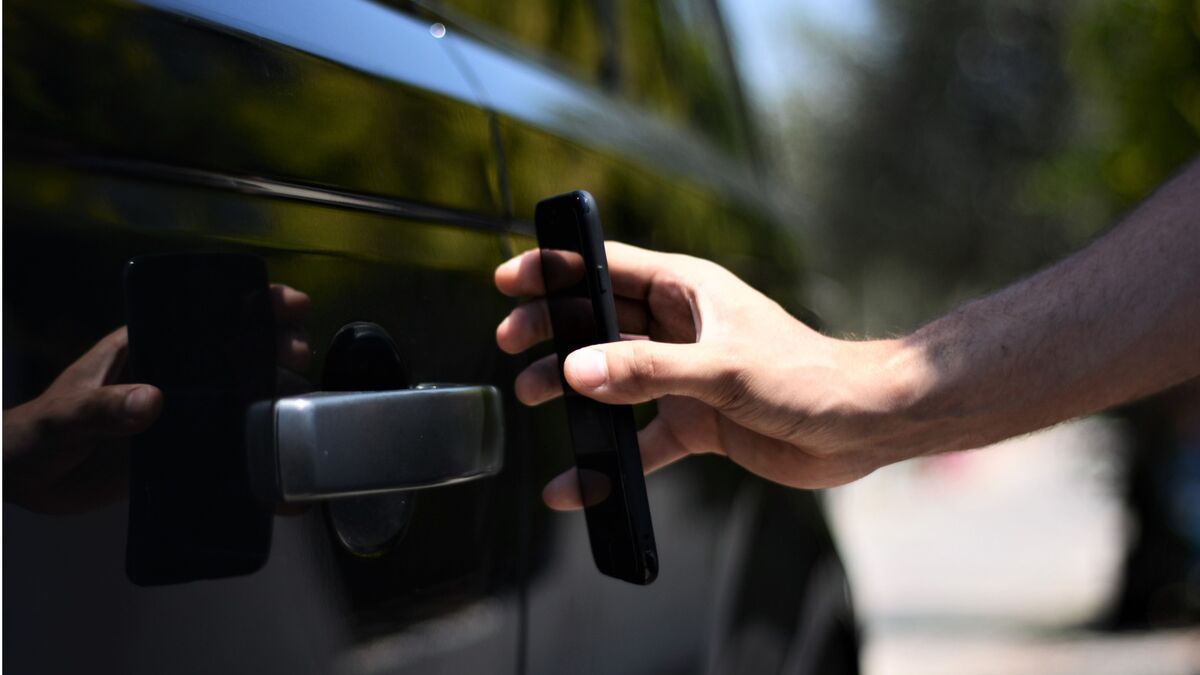
Digital keys are straightforward to use. Once you’ve installed the app and paired your phone with the vehicle, hold your phone near the door, and your car will lock or unlock. Some cars don’t even require you to hold the phone directly against the vehicle. Instead, just being near the car will unlock it. With this passive “phone-in-pocket” feature, you don’t need to take your phone out of your pocket or bag.
Digital key smartphone technology is available for many recent phones from major manufacturers, but compatibility varies by phone, vehicle, market, operating system, and feature. It works across Apple Wallet, Samsung Wallet, and Google Wallet, depending on the make and model of your car. If you have additional devices, such as an Apple Watch, you can also use them to unlock your vehicle when supported.
Some cars also let you start your vehicle remotely with the digital key, or pair digital-key access with app-based remote features such as remote lock/unlock or climate preconditioning. This can be convenient on a hot or cold day when you want to cool or heat the cabin before you enter. To help ensure security, carmakers use vehicle software, secure hardware, cryptographic credentials, and wallet or phone security features that help keep digital keys secure and tied to an identifiable device.
How to Set Up a Digital Key
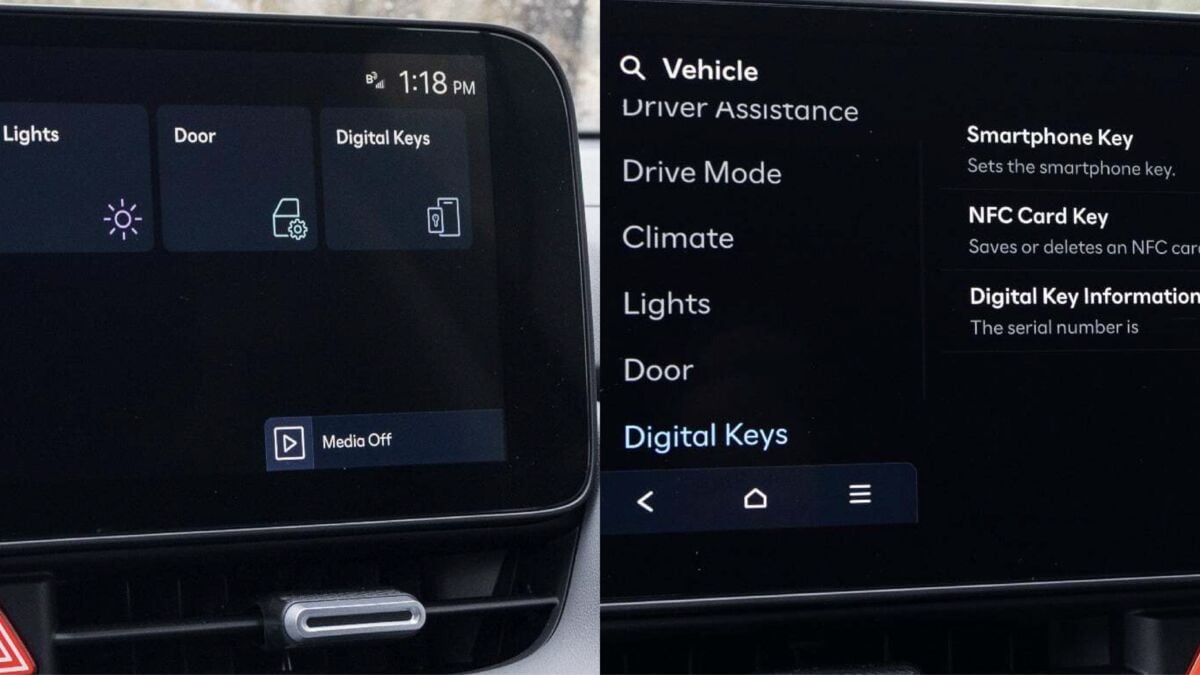
The exact steps for setting up and using your digital key will vary by make and model, but here are the general steps:
- Connect your phone to your car’s central infotainment system via the Bluetooth setup screen, if required.
- Download the manufacturer’s smartphone app and create a profile with a username and password, or begin setup from the vehicle display, a setup link, or your phone’s wallet app.
- Follow the prompts on your phone or dashboard to create or activate a new digital key. Typically, vehicles require one or more physical key fobs to be present when initializing a digital key.
In some cases, automakers deactivate the feature during vehicle production and shipping, and an over-the-air update or a visit to the dealership may be required to enable the digital key.
PRO TIP: We recommend using biometric locks in your phone’s wallet app to store the digital key, and reviewing “shared keys” regularly to revoke access for previous borrowers.
How to Use a Digital Key
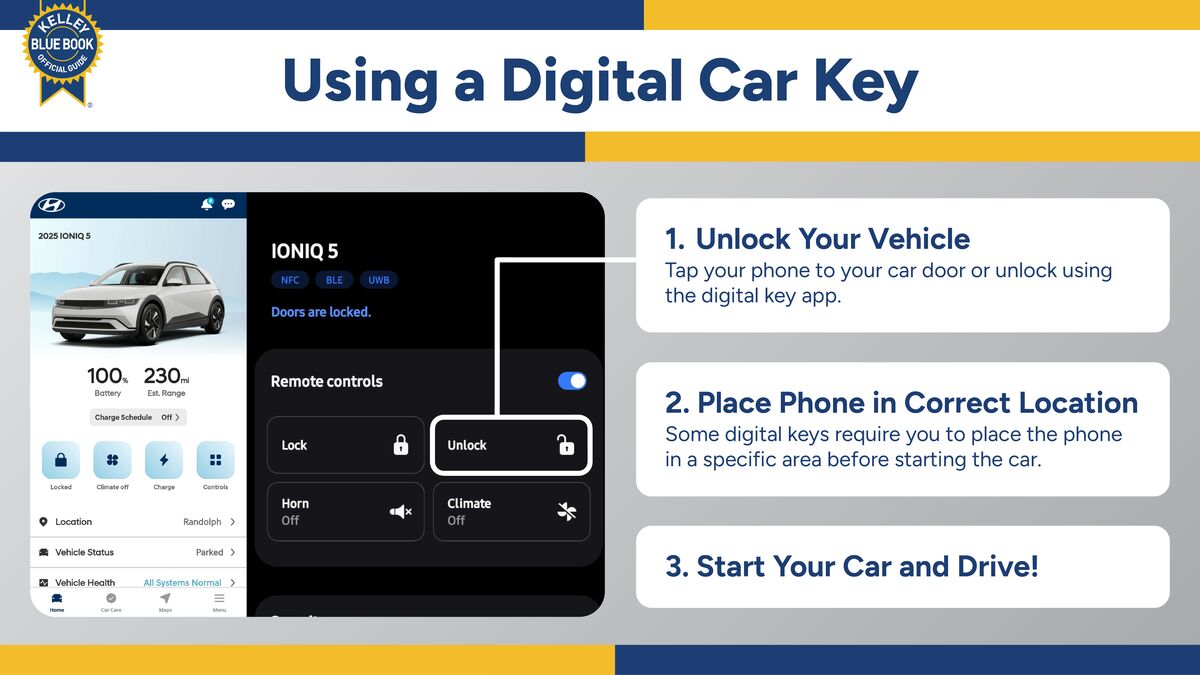
After the initial setup, you can send a digital car key to a trusted user’s mobile device, allowing them Christo use the vehicle without having a physical key fob. To use the digital car key:
- Unlock the vehicle by hovering or tapping the back of your phone near the driver’s door handle, as you might with a wireless mobile payment system at a checkout line. The digital key system for some cars will detect the authorized mobile device from farther away and unlock the doors as it approaches.
- Enter the vehicle and place your phone in the designated location, such as the wireless charging pad, if required. Some systems don’t require specific phone placement and will detect the mobile device even if it’s in your pocket or bag.
- Press the ignition button to start the engine.
Benefits of a Digital Key
We’ve all been there at least once: You get ready to leave the house but can’t find your keys. Or you discover your spouse’s car parked behind yours in the driveway. Times like these are when digital keys come into play. If your phone is with you and you’ve set up a digital key for the vehicle, you can use your mobile device to access and drive the vehicle without the key fob.
Simply being near your vehicle, with your smartphone on hand, may let you unlock and start the engine, depending on the vehicle’s digital key system. While you may overlook the digital key as a convenient feature, you’ll be glad to have it when you need it.
As a bonus, if multiple people use your car, digital key functionality typically lets you assign access to friends, family, babysitters, or whoever you want to have access to the vehicle.
MORE: Vehicle History Report: Everything You Need To Know
Are Digital Keys Secure?
According to the Car Connectivity Consortium, a group of carmakers and technology experts developing global standards and solutions for smartphone and in-vehicle connectivity, mobile devices create and store digital keys in secure places. The consortium says it has added security protections for digital keys, including support for Ultra-Wideband (UWB) technology.
The consortium says UWB technology can help vehicles verify the distance and position of an authorized device, improving protection against relay-style attacks. BMW is one carmaker using UWB technology for its “Digital Key Plus,” noting that it prevents relay attacks and the interception of digital information.
However, not every vehicle uses UWB technology. Some automakers use Bluetooth Low Energy (BLE) or Near-Field Communication (NFC) systems. Systems that combine NFC, BLE, and UWB can improve usability and security, especially by using UWB for precise distance checks that help mitigate relay attacks.
Some digital keys let you grant full access to another trusted driver or passenger. Sharing allows other people to lock, unlock, and start the vehicle. To share a key, access the setup assistant from your mobile wallet or the vehicle’s infotainment system.
Hacking Digital Car Keys
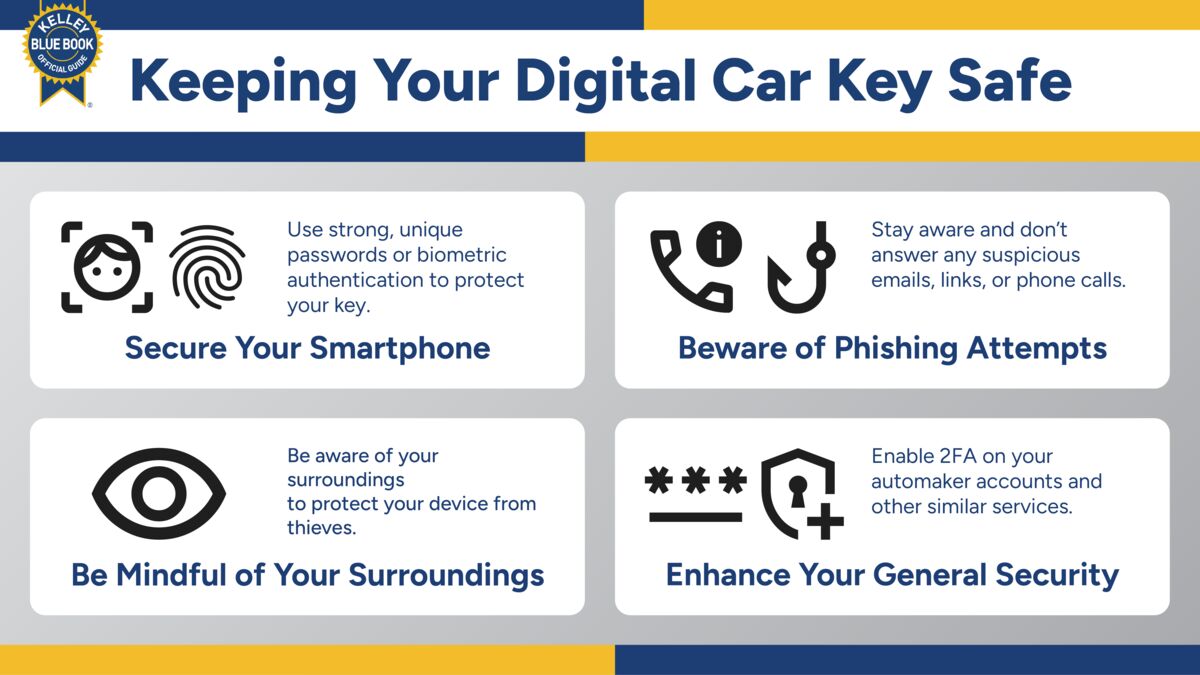
As with most digital networks, hacking is a concern for many users. Digital keys are designed with multiple security protections, but risks still depend on the vehicle implementation, phone security, account security, and wireless technology used. Automakers have security measures in place for contactless key systems. Even if you lose your phone, a would-be thief must bypass its password or biometric verification to access the wallet containing the digital key. Also, some systems may require authentication before unlocking or starting the vehicle. Still, here are some ways to protect yourself:
- Keep your smartphone secure: Use strong, unique passwords or biometric authentication to protect it. Fingerprint and facial recognition are trusted ways to unlock your phone. Update your software regularly to ensure you have the latest security patches.
- Beware of phishing attempts: Be cautious of any suspicious emails, links, or requests for personal information. Always verify the authenticity of the source before sharing any sensitive information.
- Be mindful of your surroundings: Smartphones remain common targets for physical theft. Such a snatch can give thieves access to your digital key. Be aware of your surroundings and keep your phone secure at all times.
- Enhance your security: If possible, enable two-factor authentication (2FA) for your automaker account and related services to add an extra verification step before the digital key grants access. Similar features that provide another layer of protection can help keep your digital key secure.
Car Brands That Offer Digital Keys
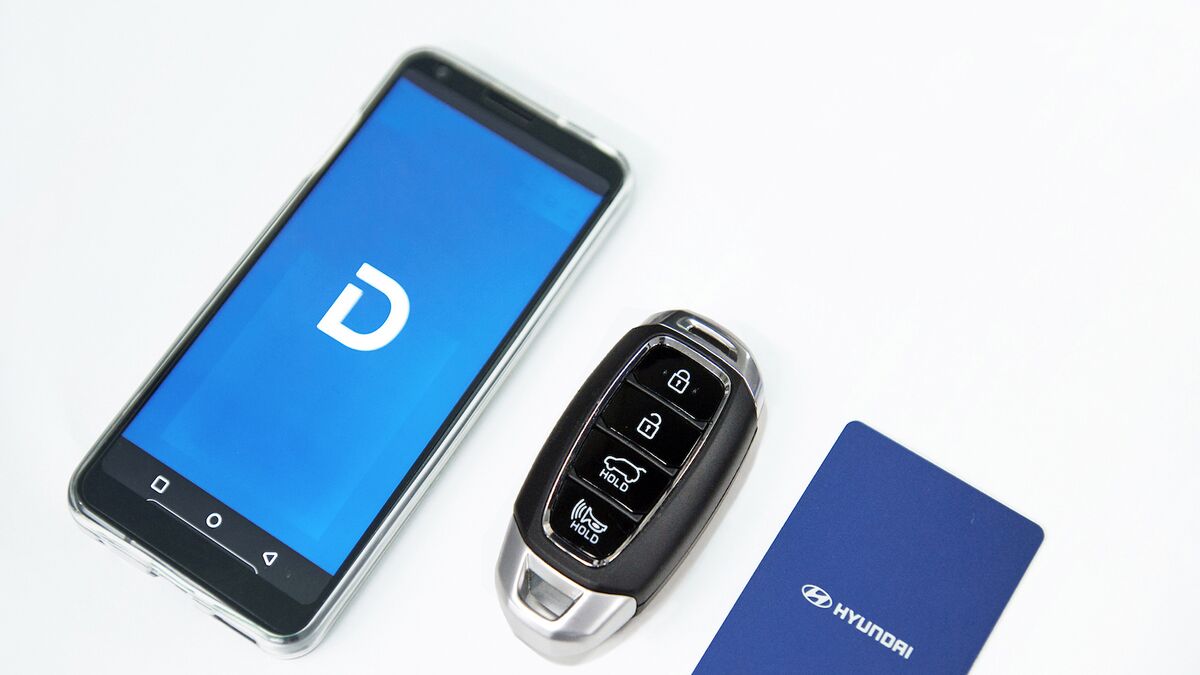
The number of models with digital key functionality in the United States continues to grow. Availability is not universal across each brand’s lineup, and the feature may depend on model, trim, phone type, market, and subscription status. Here’s a list of vehicles that have a true digital key system.
- A5 e-tron 2025
- A5 2025
- A6 e-tron 2025
- Q5 2025
- Q6 e-tron 2025
- BMW 2 Series Coupe 2023
- BMW 2 Series 2021
- BMW 3 Series 2021
- BMW 4 Series 2021
- BMW 5 Series 2021
- BMW 7 Series 2023
- BMW 8 Series 2021
- BMW X1 2023
- BMW X5 2021
- BMW X6 2021
- BMW X7 2021
- BMW XM 2023
- BMW Z4 2021
- BMW i3 2023
- BMW i4 2022
- BMW i5 2024
- BMW i7 2023
- BMW iX 2022
- Cadillac Lyriq 2026
- G70 2023
- G90 2023
- GV60 2023
- GV70 2024
- GV80 2025
- Ioniq 5 2025
- Ioniq 6 2023
- Kona 2024
- Palisade 2024
- Santa Cruz 2025
- Tucson 2025
- Carnival 2025
- EV5 2024
- EV9 2024
- K4 2025
- K5 2025
- Niro 2023
- Seltos 2023
- Seltos 2024
- Sorento 2024
- Sportage 2026
- Telluride 2023
- Eletre 2025
- Emeya 2024
- E-Class 2024
- EQE 2024
- EQS Maybach SUV 2024
- EQS SUV 2022
- EQS Sedan 2022
- GLC 2025
- S-Class 2024
- Aceman 2025
- Cooper Convertible 2025
- Cooper 2025
- Countryman 2025
- Polestar 2 2024
- Polestar 3 2025
- Polestar 4 2026
- Cayenne EV 2026
- Macan EV 2026
- All 2025 Models
- All Models
- EX30 2025
- EX60 2027
- EX90 2025
Aftermarket Digital Keys
Various third-party systems are available to retrofit digital key functionality into older vehicles that lack it. However, compatibility, installation complexity, warranty implications, and security features vary widely, so research the system carefully before installing one.
Brands With Connected-Car Apps or Remote App Features
A connected-car app can control certain vehicle functions remotely, but a true digital key lets you leave the physical key fob at home and still drive the vehicle. Remote or connected-car app availability varies by model year, trim, region, phone platform, and subscription package. You’ll always want to confirm compatibility with the automaker or dealer, or check the owner’s manual for availability in specific models when buying from a private seller. Most mainstream manufacturers offer at least one model you can control via a mobile phone app.
Bottom Line on Digital Car Keys
Digital car keys let you use a compatible smartphone or smartwatch to lock, unlock, start, and drive your vehicle without a key fob present, bringing convenience and the ability to share access with others. Security can be enhanced through features like biometric authentication and advanced wireless technology, though adoption varies by brand and model. Ultimately, digital keys offer flexibility and ease of use, but whether to use them depends on your personal preference, vehicle compatibility, and comfort with using your phone as a key.
Editor’s Note: We have updated this article since its initial publication. Chris Hardesty and Chris Teague contributed to the report.